
Tools
Narra - Web Novel Reader
Reads web novel chapters aloud one after another in the background, from sites you open in its browser.
Free, with a small banner on the library and settings screens after your first session, and never while it is reading to you. Narra Pro (monthly, yearly or a one-time lifetime unlock) adds HD voices, a dialogue voice, unlimited offline chapters, extra themes and no ads.
Screenshots
What it does
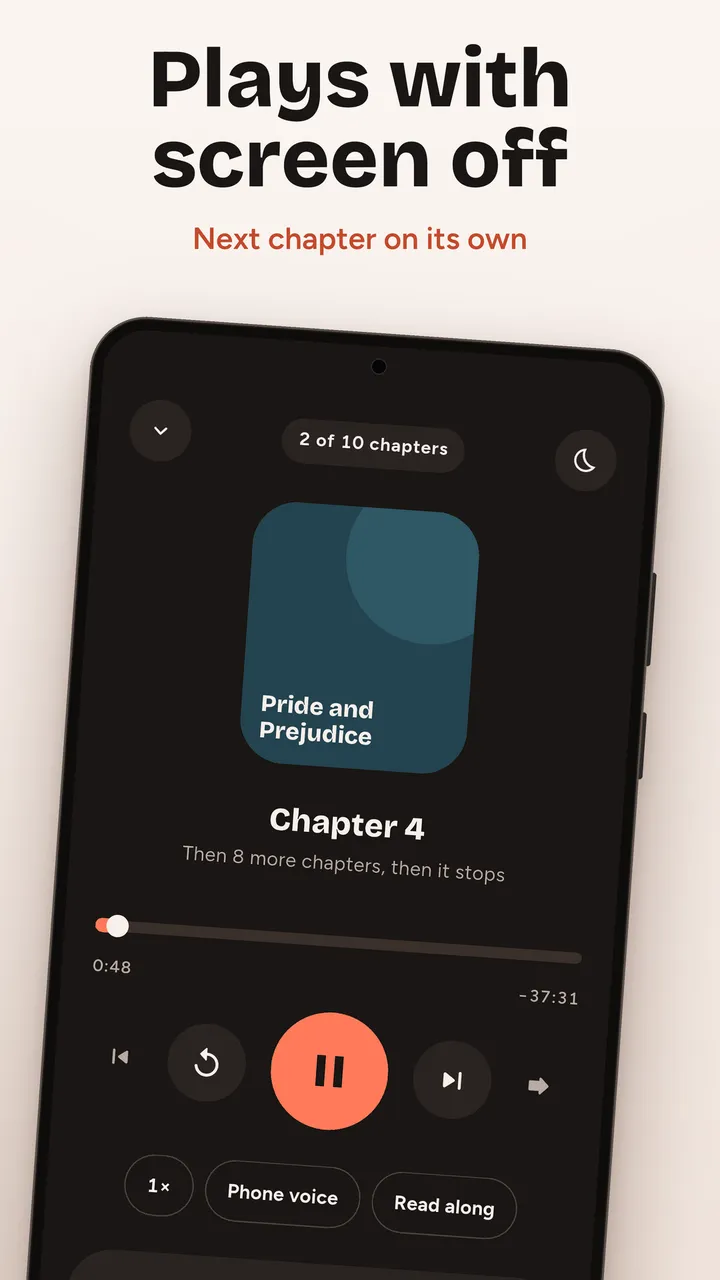
- Reads chapter after chapter with the screen off
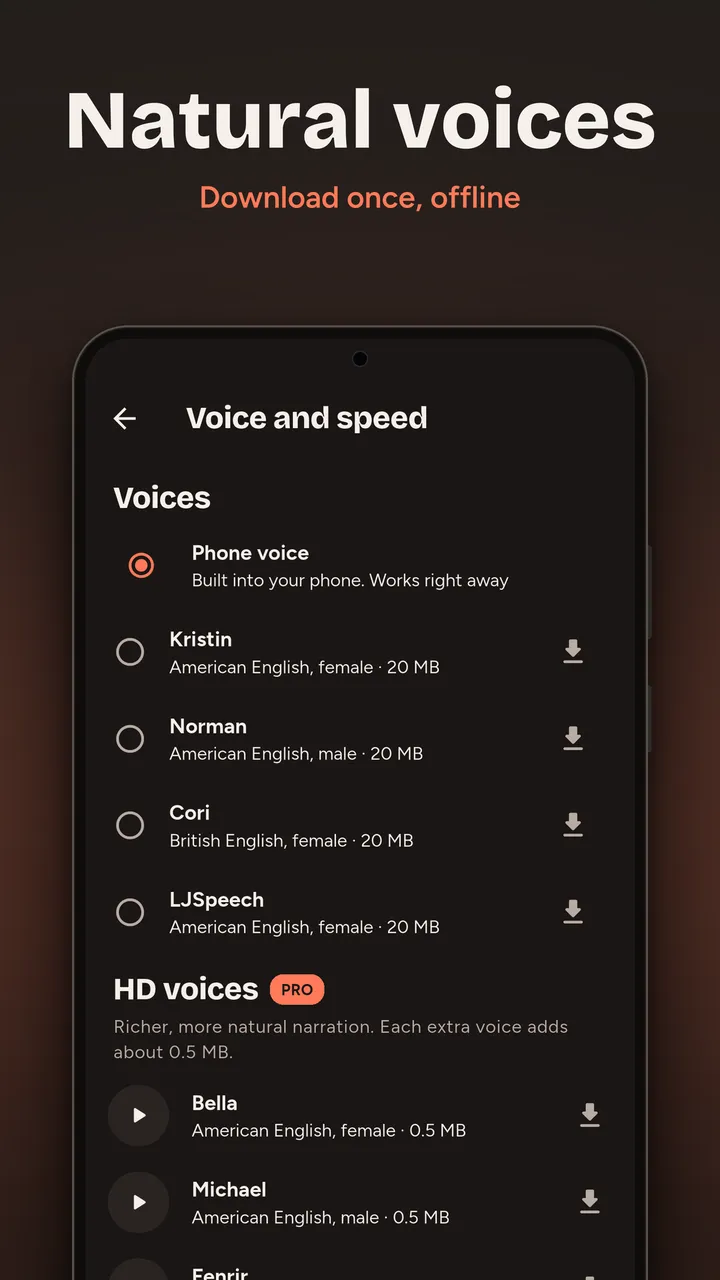
- Natural offline voices, speed control and a sleep timer
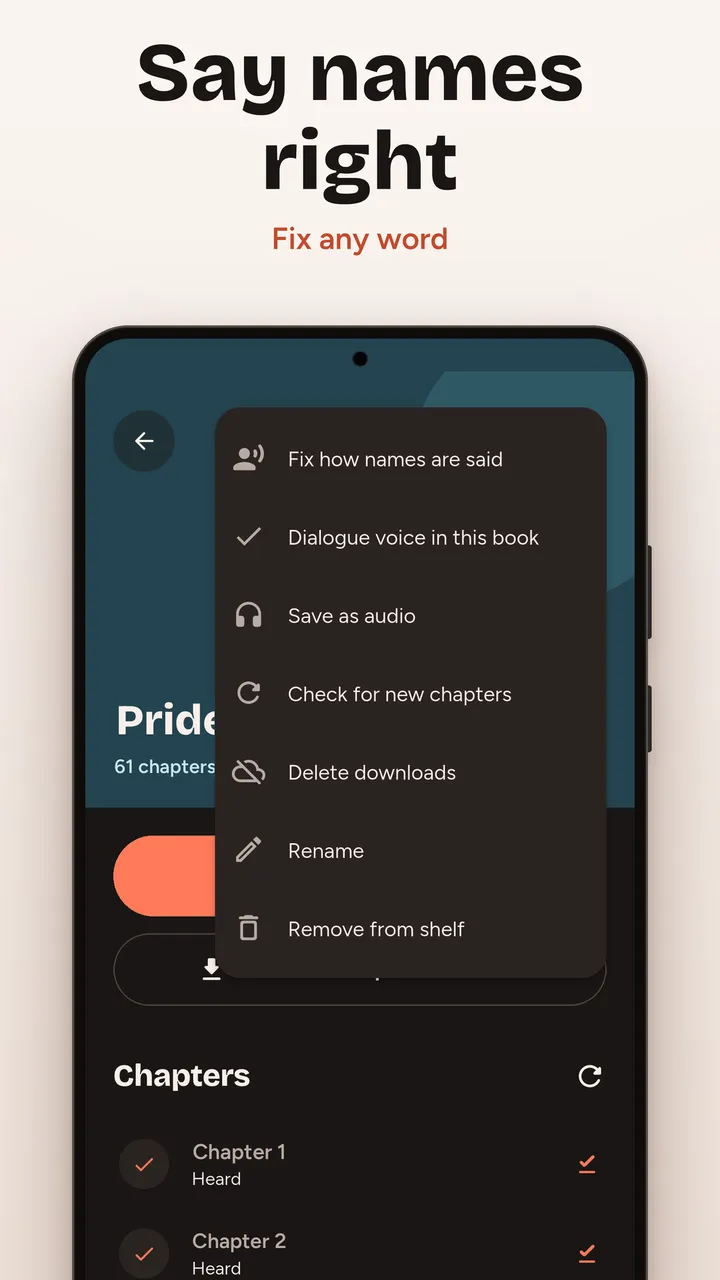
- Fix how invented names are pronounced
About Narra
Who it's for
Narra is for people who read web fiction and would rather listen: on a commute, at the gym, doing chores or falling asleep. It turns the chapters you can already open into an audiobook that keeps going on its own.
How it works
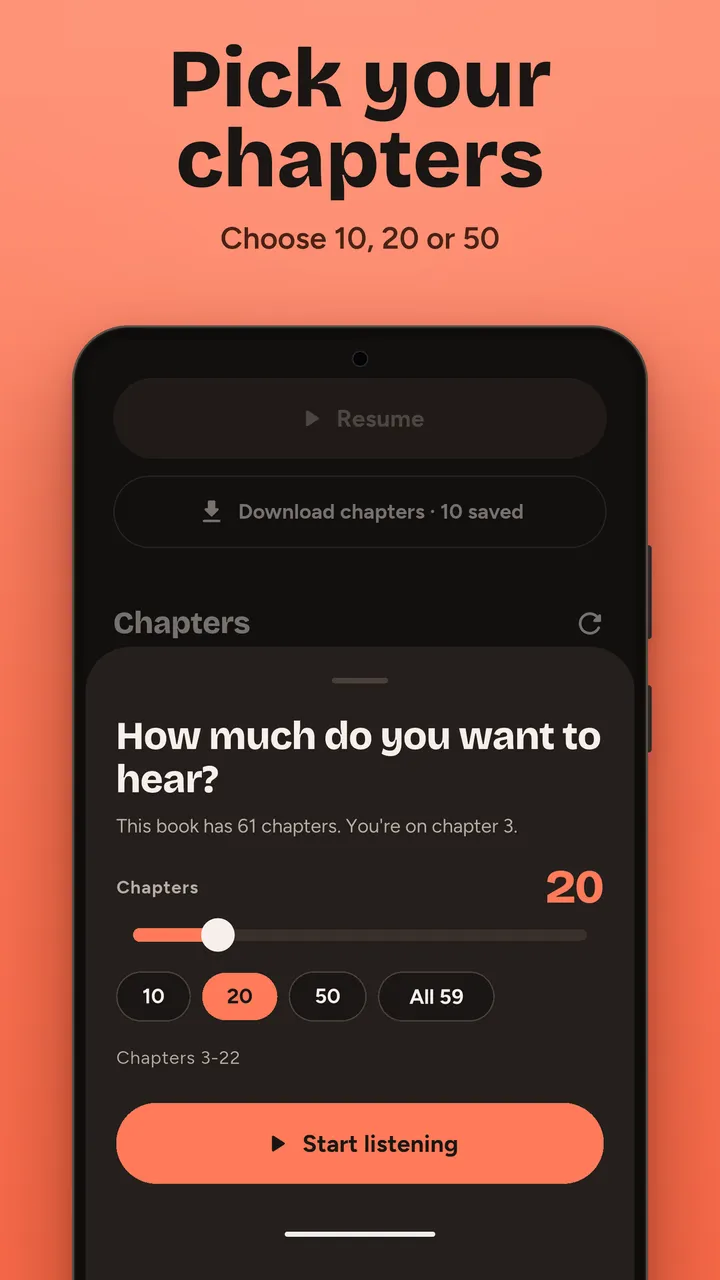
Open a story in Narra's built-in browser, tap Listen and choose how many chapters you want to hear. Narra reads each chapter aloud, moves to the next one and keeps going with the screen off, with lock-screen and headset controls. Use your phone's own voices or download a natural voice once and listen offline. You can fix how invented names are pronounced, follow along with the highlighted sentence, and keep a library of the stories you follow.
What it doesn't do
Narra hosts no stories and is not tied to any site. It only reads pages you can open yourself, and it stops at locked or paid chapters instead of getting around them. It needs a connection to load chapters you have not downloaded ahead.
Guides
- Chrome Listen to This Page Not Showing on Android - What to Check 4 min read
- How to Use Select to Speak on Android to Read Web Pages Aloud 4 min read
- How to Listen to Web Novels on Android - 3 Ways Compared 4 min read
- How to Change the Text to Speech Voice on Android - and Get Offline Voices 3 min read
- Text to Speech Stops When the Screen Turns Off - How to Fix It on Android 3 min read
Questions
Does Narra keep reading with the screen off?
Yes. It plays in the background with lock-screen and notification controls, moves to the next chapter on its own and pauses for calls. A guided step helps stop your phone's battery saver from cutting it off.
Can I listen offline?
Yes. Download a natural voice once (about 20 MB) and download chapters ahead. The free version keeps 20 chapters offline; Pro has no limit.
Do I need an account?
No. Your library, history and settings stay on your phone, and in your own Google backup if you have it switched on.
Details
- Package
com.codewithwalid.narra- Life area
- Tools
- Languages
- English
- Works offline
- Yes
- Price
- Free, with a small banner on the library and settings screens after your first session, and never while it is reading to you. Narra Pro (monthly, yearly or a one-time lifetime unlock) adds HD voices, a dialogue voice, unlimited offline chapters, extra themes and no ads.
- Privacy
- Privacy policy